Connection
A wide variety of options are available for integration and extensions. Integration is possible on the host side (PC side)—for example, with your ERP/CRM system—as well as application extensions on your GPSauge (client side).
The GPSoverIP developer portal offers several paths to integration.
- API: First, you can use the direct API programming interfaces for this purpose.
- HLD: Similarly, the HLD (High-Level Driver) is available for system integration via XML and CSV exchange.
- iFrame: Another simple way to integrate functionality is by embedding or linking ready-made iFrame modules.
Below you’ll find extensive information and supporting tools on this topic. If you have any integration questions, you can access and use our developer forum free of charge.
1. API
Integration Capability
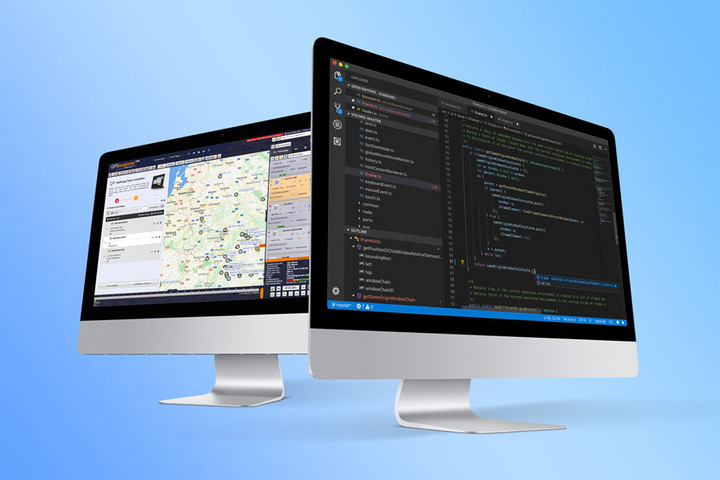
API integration capability
The API references contain all the interfaces and their parameters, which you can use to communicate directly with the GPSoverIP gateway—both from your ERP/CRM system and from a custom-built end-user application. The individual modules are listed in various programming languages. These include, for example, Java, PHP, Delphi, Visual Basic, Python, C#, C++, and Objective-C. Of course, any languages not listed here are also supported.
Here is some basic information regarding the development of both ERP/CRM system integration and end-user application creation in connection with the GPSoverIP gateway and the API references:
On the host side (ERP/CRM integration):
API References
Requests via the API are sent to the respective gateway via an HTTPS POST request. Various services are available for this purpose:
- live.apioverip.de for live queries of the current vehicle position (apiGetLiveData)
- www.apioverip.de for retrieving history and control data (apiGetData)
- api.gpsoverip.de for retrieving telemetry data (node-API)
Structure of the API Requests
The documentation contains descriptions of the individual modules, their actions, and the available parameters you can use during development. For each module, it includes code examples, gateway responses, and possible error messages.
Unzipping the Delivered Data
To keep data volume low, you receive a zipped response when you post the defined parameters to the respective gateway service. This ensures high performance during data transmission. The open-source zlib standard is used to unzip the data. zlib provides libraries for various programming languages.
Client-side (GPSauge / End-User Application):
API References
Data exchange takes place via file transfer, which is organized by a client-side HLD driver. A directory structure with a monitoring spooler service is available for this purpose. The following are the two directories that play the main roles:
- \DATAoverIP\IN for incoming file transfers
- \DATAoverIP\OUT for outgoing file transfers
Structure of API Requests
The documentation contains descriptions of the individual files, their actions, and the available parameters you can use during development. For each module, code examples, gateway responses, and possible error messages are provided.
Compressing Files
to Be Transferred To keep data volume low, compression is used from time to time—just as it is on the host side. The client-side high-level driver automatically handles this compression when files are named appropriately. This ensures high performance during data transmission. The open-source zlib standard is used to compress the data. zlib provides libraries for various programming languages.
2. HLD Integration Capability
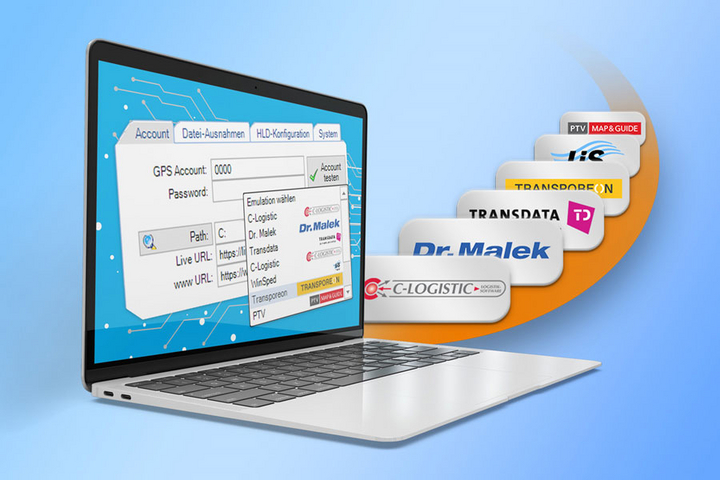
HLD Integration Capability
Another option is to use the High-Level Driver (HLD), which, via the DATAoverIP protocol (a specialized OSI-layer-based communication protocol of GPSoverIP), enables general, bidirectional data transfer through file exchange (CSV, XML, etc.). For example, jobs can be sent to a GPSauge by creating files—which are stored in the HLD’s output directory on the PC.
The HLD functions similarly to a spooler service in this context. Likewise, information and data can be retrieved from the GPSauge (client) to the PC (host). There is also an HLD on the GPSauge itself, which acts as a counterpart to handle tasks on the client side (the GPSauge), thus making it possible, for example, to generate an email or generally transmit any files to the central office by placing a file—with a specific structure—in the device’s OUT directory.
Further details can be found here (https://www.stage.gpsauge.de/anbindung/hld)
. The PC-side HLD is available for download in the support section.
3. iFrame integration option
iFrame Integration Option
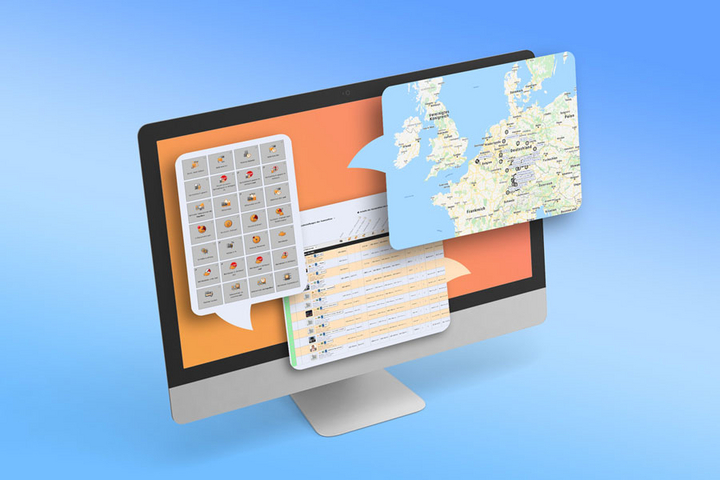
As an additional option, you can integrate existing modules from GPS-Explorer Web into your software—specifically, into your ERP system—using an iFrame.
GPS-Explorer was designed to allow for the integration of modules into third-party applications—such as your ERP system.
Your software simply needs to be capable of displaying a web page.
This allows iFrame modules from GPS-Explorer to be integrated and controlled via various web links—just like an application in an embedded window.
For example, you can easily integrate the order overview (to view open and completed orders) via a link.
This allows you to exclude any GPS-Explorer options that are not required.
This way, the functions of GPS-Explorer merge with your ERP system—with minimal effort—and appear seamless to the user. Additional color options also create a cohesive look.
Validated APIs
Our API documentation makes it easy for partners and developers to connect to our GPSoverIP gateway. All desired and required data can be retrieved for further processing. This creates significant added value for our mutual customers.
Um Zugriff zu erhalten, wenden Sie sich bitte an den GPSoverIP-Support:
Tel.: +49-9721 - 796973-30 oder per Mail an support@gpsoverip.de
Vielen Dank.
Partner Interfaces
Examples of Use
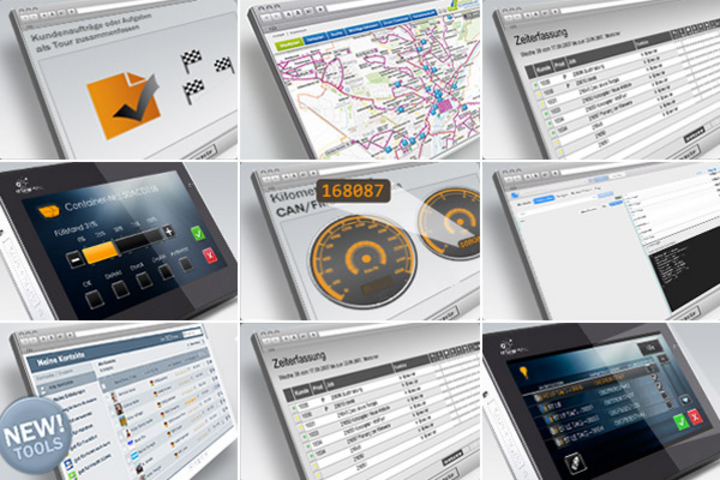
Take advantage of GPSoverIP’s API interfaces to ensure the best possible results for your internal processes. In the application examples documented below, various interfaces from a wide range of system landscapes communicate with one another across both devices and platforms. This enables a whole new dimension of connectivity and flexibility, as well as significant resource savings.
Don’t let the integration process intimidate you. GPSoverIP supports you every step of the way, ensuring you reach your implementation goals quickly and confidently. It doesn’t matter what kind of integration you’re aiming for—whether it’s, for example, integrating driving and rest times into your ERP system, mapping bus routes onto a public transit display, tracking fuel consumption in your SAP system, or integrating speed profiles of race cars.
Our documented use cases showcase approaches, ideas, and procedures, thereby further supporting you in your implementation efforts.
- Interface for monitoring the cold chain and door openings (BLE LE)
- MQTT interface
- clickApoint interfaces: Deeplink and Hotlink
- Onboard computer application
- Interactive schedule
- Record and transmit container capacity and status
- Group customer orders or tasks into a route
- Calculating the current mileage from CAN/FMS or GPS data
- Use Case: Integrating time tracking using digital tachograph data
- Use Case: Calculating dwell time at a specific route stop via status updates
- Use Case: Dispatching and processing routes via the customer’s ERP system and the customer’s own MDE devices (Dataphone)
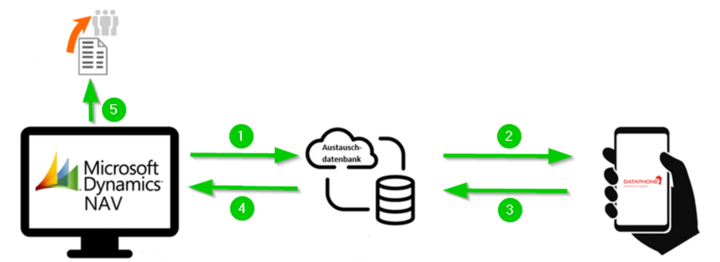
Use Case: Route Dispatch and Processing via the Customer's ERP System and the Customer's Own MDE Devices (Dataphone)
Working with the Microsoft Dynamics NAV ERP (Enterprise Resource Planning) system, creating route plans, and scheduling stops.

Use Case: Calculate the duration of a stop at a specific tour station using status updates
To accurately determine the time spent at a specific route stop and thus correctly calculate billing costs, the Job Module can be used to retrieve status updates from a device and create the corresponding routes.
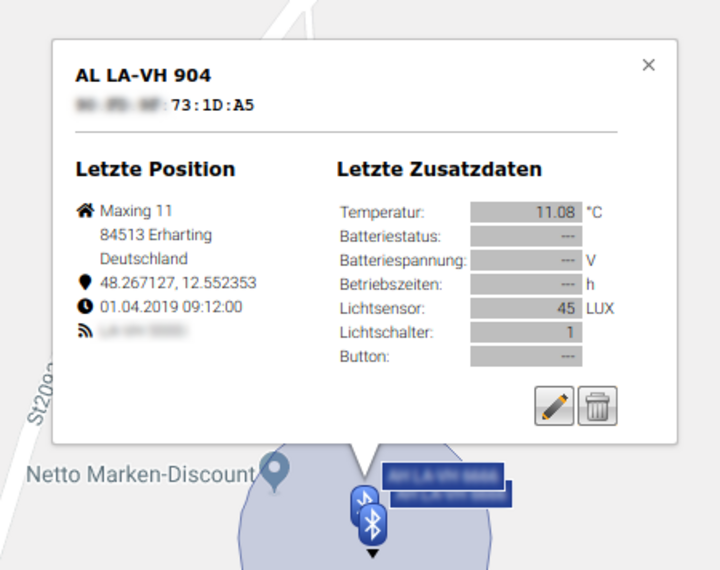
Interface for monitoring the cold chain and door opening (BLE LE)
Ideally, developers will use GPSoverIP GmbH’s validated interfaces as-is, in their documented form. The documentation is available on the GPSoverIP Developer Portal (this website) in several programming languages (e.g., PHP, Java, Delphi, Obj. C, ASP.NET, AutoIT, C++, C#, Perl, Python, Ruby, VB.NET, Access) under the “API References” section.
MQTT Interface
Ideally, developers will use GPSoverIP GmbH’s validated interfaces as-is, in their documented form. The documentation is available on the GPSoverIP Developer Portal (this website) in several programming languages (e.g., PHP, Java, Delphi, Obj. C, ASP.NET, AutoIT, C++, C#, Perl, Python, Ruby, VB.NET, Access) under the “API References” section.
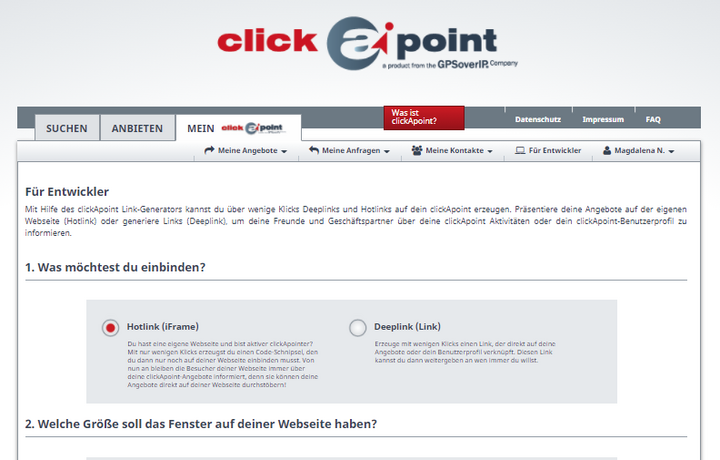
clickApoint Interfaces: Deep Link and Hot Link
clickApoint is the platform for marketing your offerings and optimizing your services related to freight, transport orders, available space, resources, and ride-sharing opportunities.
Onboard Computer Application
With this example, we want to enable you to write applications for a GPSauge with a display (with HLD)—such as the GPSauge IN1 v.2—and provide you with an insight into the onboard computer app.
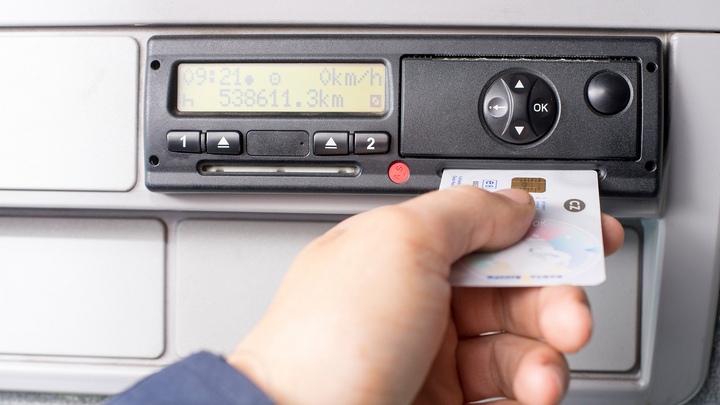
Use Case: Integrating Time Tracking Using Digital Tachograph Data
The fleet includes vehicles equipped with digital tachographs. Employees use a time-tracking system to record the start and end times of their shifts. In the future, travel times will also be included in the time-tracking system to enable the optimization of departure times and routes.
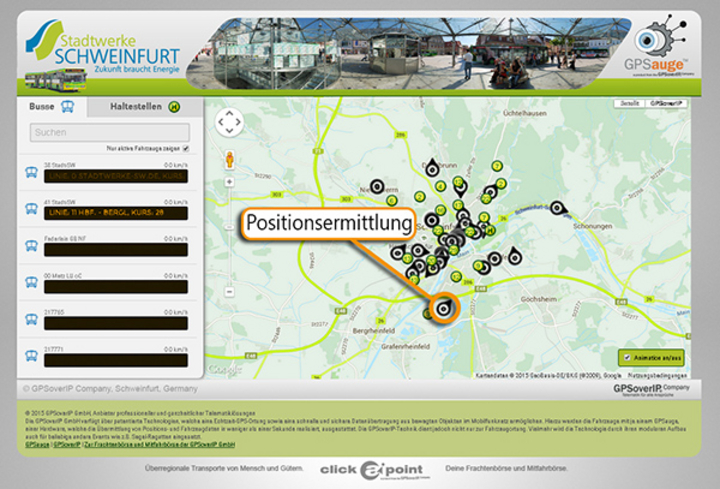
Interactive Schedule
In this example, a public institution uses the APIs provided to display city buses on an interactive schedule. What makes this unique is that, in addition to general vehicle telemetry data, specific data from the VDV 300 standard is also retrieved and displayed.
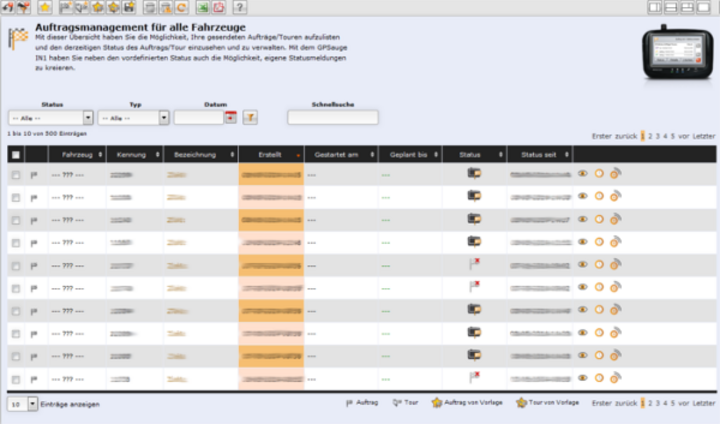
Record and transmit container capacity and condition
A company checks the fill level of the containers it has provided on a daily basis and looks for any damage (e.g., graffiti, etc.) to them. There may be one or more containers at a given location that need to be inspected.
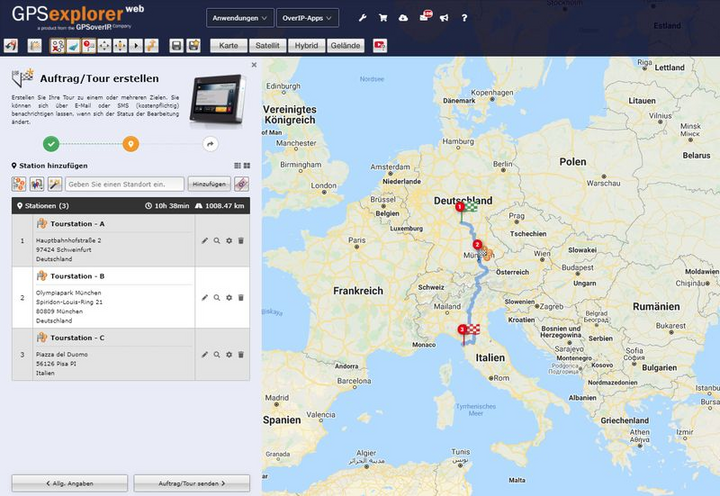
Group customer orders or tasks into a route
A company's call center records customer orders every day. These orders are processed on a weekly basis. To do this, the recorded customer orders are grouped into routes for the company's individual delivery vehicles.
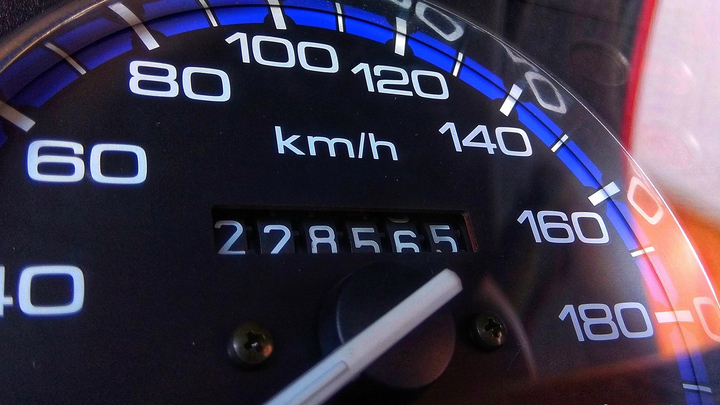
Calculating the current mileage from CAN/FMS or GPS data
Depending on the device, the mileage may be retrieved from various sources. This article explains how to determine the current and most accurate value.