Geozone Monitoring
Never Miss a Thing with Geofence Monitoring
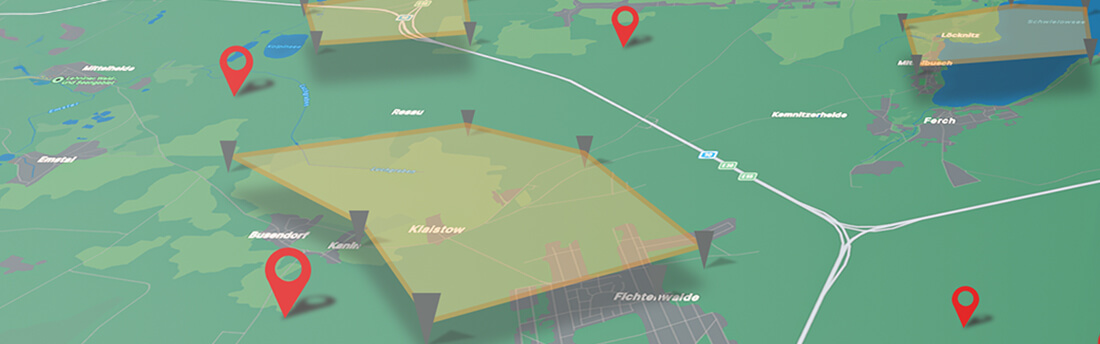
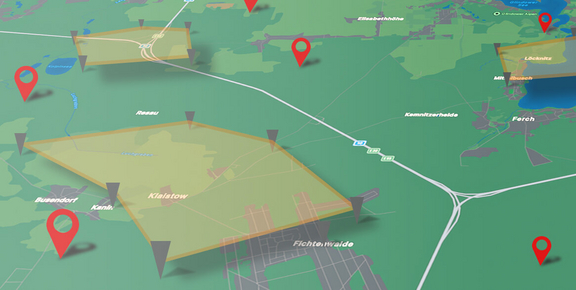
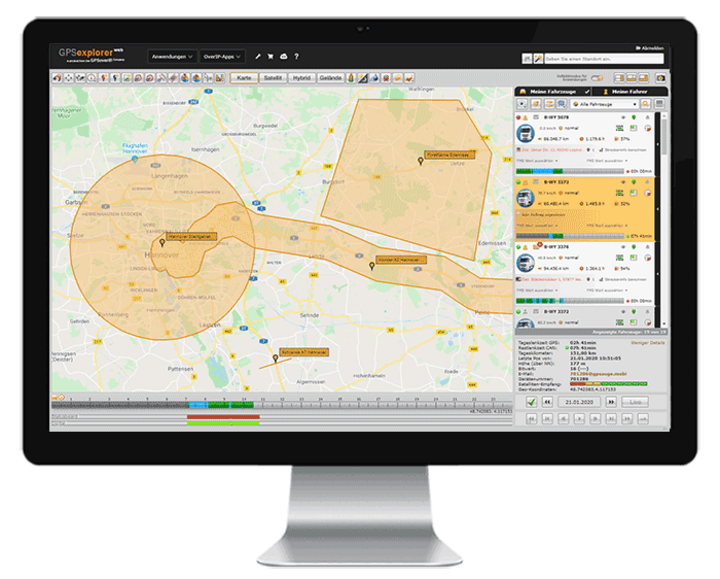
Geofence monitoring allows you to define custom zones (circle, polygon, corridor, barrier) and link them to specific rules. This enables you to trigger alerts, actions, or messages when a vehicle enters or exits such a zone (e.g., on your cell phone: “The driver has reached the destination”). When combined with order management, this feature can automatically generate status updates or automate customer notifications. Additionally, cost centers can be assigned to geofences to perform various analyses.
The ability to monitor when a vehicle enters or exits a defined area (circle, polygon, corridor, barrier) enables the automatic triggering of numerous actions. This helps you quickly and easily receive location-based status updates, for example, on your cell phone: “The driver has reached the destination.” Geofence monitoring also provides theft protection by generating an alarm in the event of unauthorized movement. In addition to other features related to order management and cost centers, it also offers geofence retroactive search, which allows you to analyze which vehicle was in a specific zone at a given time, including its activities (e.g., auxiliary drive on/off, available/occupied).
Your Benefits
- Simple Position Monitoring
- Geozone Reverse Lookup
- automatic status notifications
- More efficient billing / cost center allocation
- Time Savings Through Early Notification
- Theft protection with an alarm feature
- Quick Verification / Proof
- Suitable for all vehicle classes and types (trucks, passenger cars, light commercial vehicles, buses, etc.)
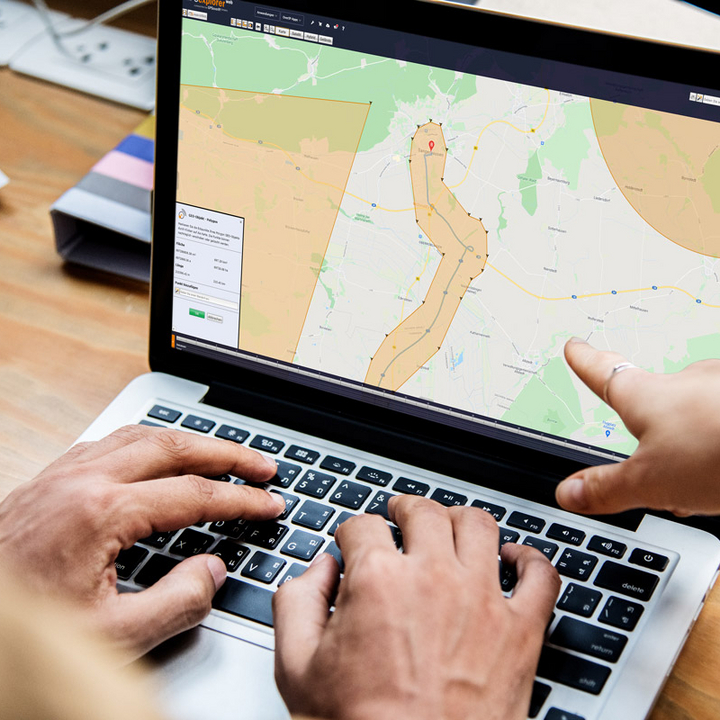
Ausschnitt aus dem GPS-Explorer
Der GPS-Explorer ist das Flottenmanagement-Portal das zum Lieferumfang eines jeden GPSauge gehört - mit allen Funktionen on-board, ohne Einschränkungen oder kostenpflichtige Extra-Pakete.
Geo-Fencing / Theft Protection
In GPS Explorer (a browser-based web portal), you can configure alerts for when a vehicle enters or exits a custom-defined area (circle, polygon, corridor, or barrier). This helps you receive or document notifications quickly and easily—for example, when a vehicle enters or exits a corridor—whether on your cell phone, via email, on the map, in the app, or in a tabular record.
The geofencing feature also supports premium theft protection, which includes automatic activation mechanisms. With the additional rule manager, optional supplementary values (auxiliary drive active, door open, engine off, etc.) can be time-stamped, logged, evaluated, or triggered, and thus serve, for example, as the basis for subsequent invoicing.
When logging the geofencing function, the column editor allows you to assign or link additional values, such as a cost center, current mileage, etc.

The associated telematics portal
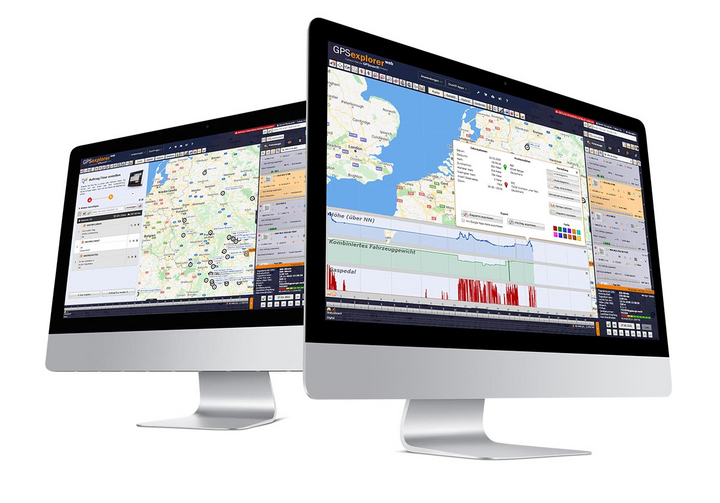
The GPS Explorer (browser-based web portal) is included with every GPSaugen (telematics unit). It is a powerful application for managing fleets of any size.
It doesn’t matter whether you need to manage just one vehicle or thousands.
Try it now with no obligation

Test the most professional telematics solution extensively, with no obligation and at no cost, and see for yourself why it’s the most powerful telematics system.
Simply provide your contact information, and your account manager will assist you from product selection to installation in your vehicle—he’ll take care of everything and be available to answer any questions you may have throughout the entire trial period.
- Free Trial
- based on your requirements
- tailored to your company’s structure
- Your personal account manager will guide you through the process

Everything at a glance—even on the go
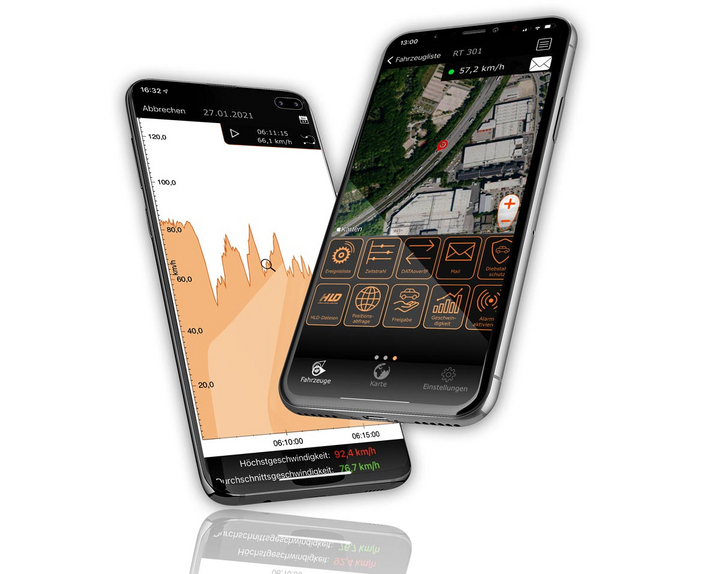
Manage your fleet with GPS-Explorer Mobile: fleet management even when you're on the go.
Which vehicle in your fleet is closest to a destination address?
Where are my vehicles?
What is the current temperature in the cargo area?