Bitte um Geduld.
Die Webseite ist beschäftigt.

Media Library
The Media Library is a kind of search engine dedicated to GPSoverIP's telematics products.
Here you’ll find all relevant content organized by topic at a glance.
This ranges from the “GPSauge” products (telematics hardware) to software tutorials that explain how to use the individual features effectively in a simple and easy-to-understand way.
To assist with installation, our Easy Helper clips are available—these were recorded hands-free during the installation process. Please note that these recordings have not been updated and may therefore no longer reflect the current state of the product.
Montage Videos
In addition to vehicle-specific installation kits (installation cables with plug-and-play connectors for quick installation), a flexible installation cable is also available for installation, which is included with every GPSaug. For installation using the installation kit or the flexible installation method, you’ll find numerous Easy Helper clips (video clips recorded hands-free during the installation process) available online to assist you with installing a GPSauge.
Please understand that the video tutorial may not be able to show your specific setup 100%. Due to variations within a single vehicle model and customer-specific requirements, this is unavoidable. Therefore, we always recommend reviewing several videos that might be relevant to your situation. The videos should always be watched from start to finish. This is the only way to avoid installation errors and ensure that all important information is conveyed, which ultimately significantly reduces installation time. Of course, you can also find the videos using Google Search or the YouTube search function. To do so, simply enter keywords such as “GPSoverIP tutorials.”

Editing


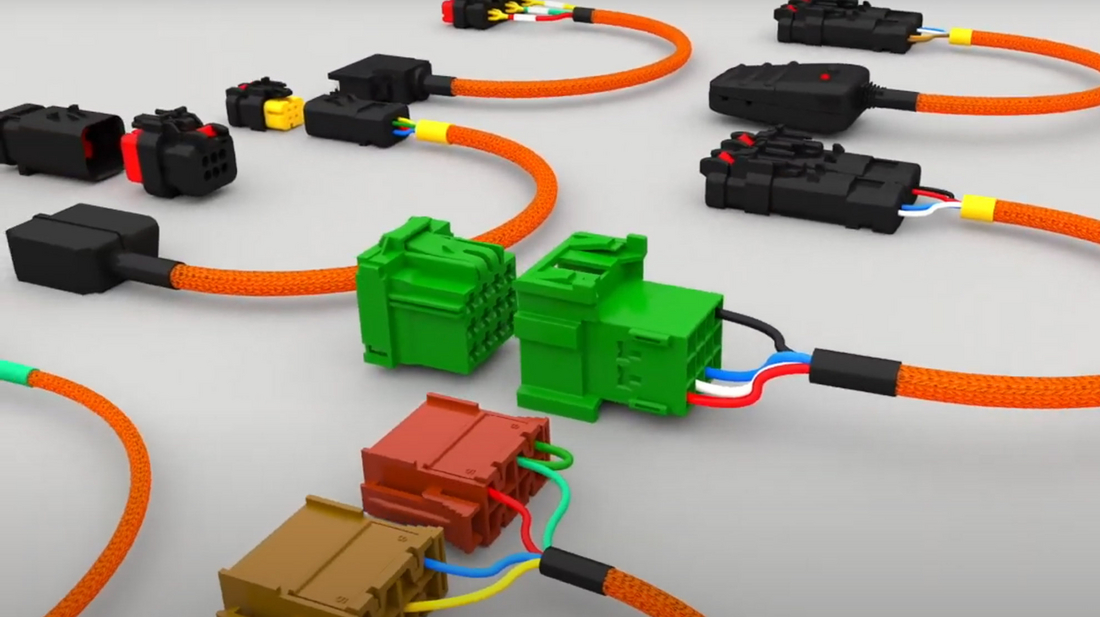
Installing the GPSaugen is incredibly easy, as the connections can be made in just a few minutes using automotive-certified connectors.
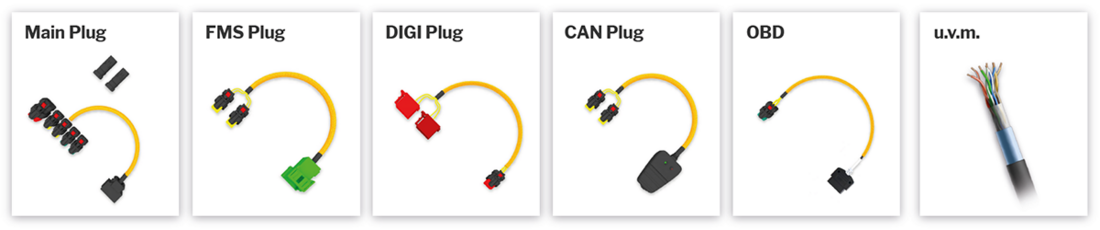
For integration, you’ll receive a custom installation kit that can be used for any vehicle. It doesn’t matter whether the additional telemetry connection—if required—is made via a CAN bus (inductive), FMS bus, ISO bus, K-Line, MVB, J1708, OBD/OBD II, VDV300, etc. Depending on your requirements, you simply need to connect the power supply and the appropriate telemetry cable (e.g., CAN plug/OBD plug). The unit can be connected to either a 12-volt or a 24-volt vehicle power supply without an external voltage converter.
If desired, the telematics unit (GPSauge) can be preconfigured and activated upon delivery, making it ready for use immediately after installation.
Filter & Search Videos
Filter aktiv
Products
Alle Filter aus/an
GPSauge TAB
GPSauge OBD
GPSauge IN1 v.2
GPSauge MI6 PRO
GPSauge TRAIN
Software
Alle Filter aus/an
Maintenance
FMS Analysis
Introduction
Overview
Theft Protection
Logbook
Lane Analysis
Lane Editor
Expense Report
Remote-Download
clickApoint
HLD
Property Overview
Map Control
Timeline
Action-Chooser
Tour Recording
Tour Creation
Group Creation
Order Shipping
Driving and Rest Periods
Geozone
Wild Card Feature
Energy Efficiency
Editing
Alle Filter aus/an
Wiring harness
Dacia
That's all for now.
Fendt
Extreme
Ford
That's okay
Hitachi
Iveco
Liebherr
MAN
Mercedes
Renault
Scania
Cursed
Volvo
Volkswagen
Vögele
Bodybuilder
Construction Equipment
There will be
Crane
Racing Cars
Ships
Special-Purpose Vehicles
Taxi
Winter Road Maintenance
The Industry
Alle Filter aus/an
Shipping
Recycling and Waste Disposal
Racing
Freight Forwarding/Transportation Company
Rail Transportation
Road Maintenance Departments/Public Works Yards
Original Equipment Manufacturer
Agriculture and Farming
Car Dealerships/Car Rental Companies
Construction
Bus companies
Service Provider
Crafts
Wood and Forestry
Courier and Express Services
Food Industry
Taxi Industry/Passenger Transportation
Emergency Services/Fire Department/Police
Executive
More
Alle Filter aus/an
Scheduling
De minimis
Cable
Digital Speedometer
Input Box
Camera
Power Converter
Ibis
Scanner
Taxi Meter
Temperature Recorder
Bluetooth Low Energy
Various
Public Transportation