
Reports and Analyses
Customized reports and analyses for all components of the fleet
GPS-Explorer (web-based fleet management) offers a wide range of reports and analyses tailored to your business, such as the trip log, the job overview, expense reports, time tracking, the driving and rest periods overview, geofence analysis, and, of course, other reports relevant to your business.
The system offers not only standardized tools but also flexible modules for creating custom reports and analyses. These include features such as the wildcard function, the lane editor, the analysis configurator, and more. This allows you to retrieve exactly the information your company needs.
GPS-Explorer not only processes monthly reports but also enables analyses accurate to the day and even the second, based on the detailed data collected by the GPSauge telematics hardware. Thanks to the customizable additional features, you can create tailored reports and analyses that are specifically designed to meet your company’s requirements.

Your Benefits
- Reports and analyses at the click of a button
- Customized Analyses Using Additional Values
- Customized, tailored, and standardized reports/analyses
- Targeted Analyses for Your Business
- Flexibly adjustable modules
- Reports broken down by week, day, and second
- Suitable for all vehicle classes and types (trucks, passenger cars, light commercial vehicles, buses, etc.)
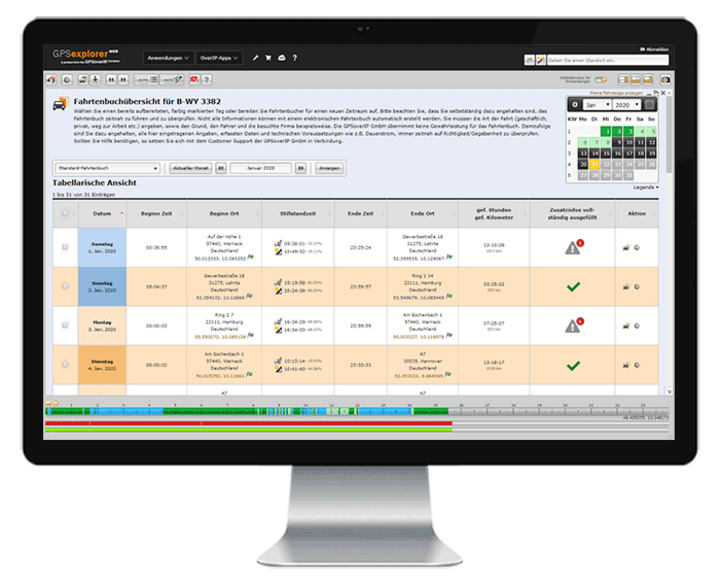
Ausschnitt aus dem GPS-Explorer
Der GPS-Explorer ist das Flottenmanagement-Portal das zum Lieferumfang eines jeden GPSauge gehört - mit allen Funktionen on-board, ohne Einschränkungen oder kostenpflichtige Extra-Pakete.
Logbook/Operational Reports
The GPS Explorer (browser-based web portal) provides users with a detailed logbook as well as numerous weekly and daily activity reports.
Thanks to the integrated AI learning feature in the logbook, you’ll save days and weeks of processing time, as the need for manual data entry gradually decreases. The GPS Explorer handles this automatically. Thanks to this unique feature, a logbook for an entire year, for example, can be fully generated in just a few minutes.
In addition to time and location, other vehicle metrics (such as engine runtime, fuel level, door open/door closed, etc.) can also be displayed in the logbook. This allows you to expand your logbook accordingly to document these metrics directly at each location.
With its GPS-based, gap-free recording, it goes without saying that the GPSoverIP electronic logbook is legally compliant and therefore recognized by the tax authorities.
Route/Route Editor
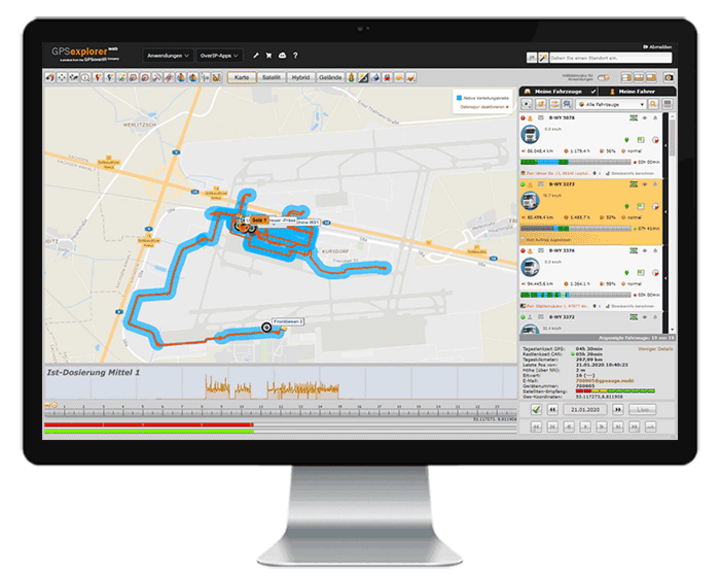
The route function in GPS Explorer (a browser-based web portal) displays the route traveled with all details in tabular and visual form with just one click. By selecting additional data in the Track Editor (such as loaded/unloaded, accelerator pedal position, auxiliary drive, speed, working widths of special attachments, etc.), you can customize the display to meet your specific needs.
A replay function allows you to visualize the entire driving situation for the selected time window, including the selected additional values. You can compare and analyze driving paths from different vehicles to, for example, optimize a route or visually display areas that have been worked on (keywords: winter road maintenance, agriculture, street sweeper, etc.).
Joker
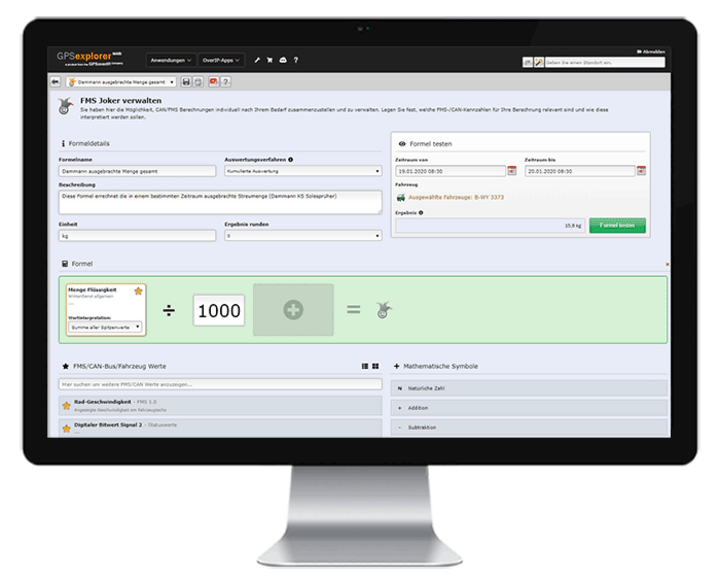
The Joker feature in GPS Explorer (a browser-based web portal) uses the recorded telemetry data to calculate any value you need (e.g., the conversion factor from spray width to application rate). Using predefined calculation formulas, you can quickly and easily perform additional value calculations or conversions—in addition to your existing values.
The newly calculated value can then be included as a “Joker” field in tabular and visual analyses and statistics.
Expense Report
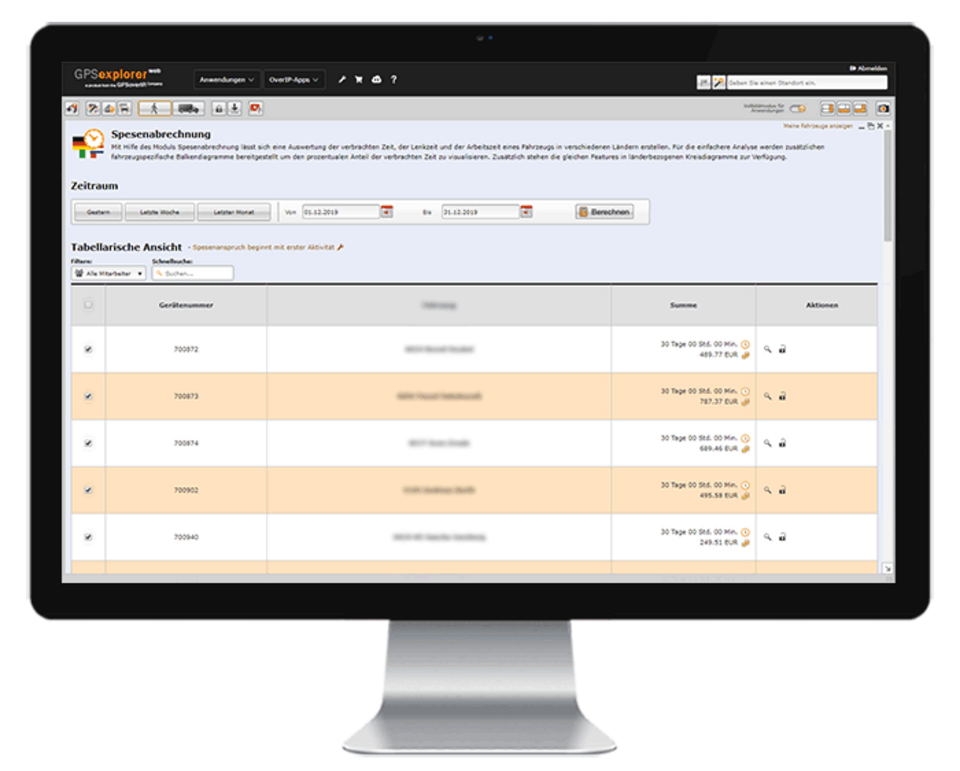
The Expense Report module saves users a lot of time. This feature enables users to handle the time-consuming administrative tasks involved in determining and calculating additional meal expenses with the click of a button, without any further action required. To do this, master data needs to be entered only once. The national and international expense rates prescribed by law are already stored in the system.
Individual company-specific adjustments, such as holiday and night shift surcharges, etc., can of course be configured or modified accordingly.
Report Configurator
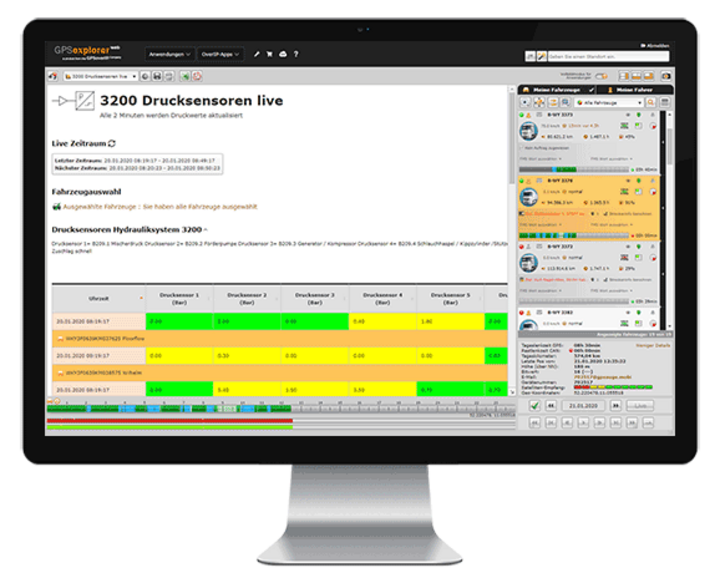
In GPS Explorer (a browser-based web portal), you can easily create custom reports on your own. Design reports in your corporate identity and add the necessary elements—such as tables, charts, vehicle information, indicators, and maps—to your calculations, tailored to your company’s specific needs and requirements.
Examine situations with pinpoint accuracy and without restrictions, tailored to your needs—daily, weekly, monthly, or at custom time intervals—even down to the second!
If desired, you can also share the custom report with third parties via a web-based authorization system.
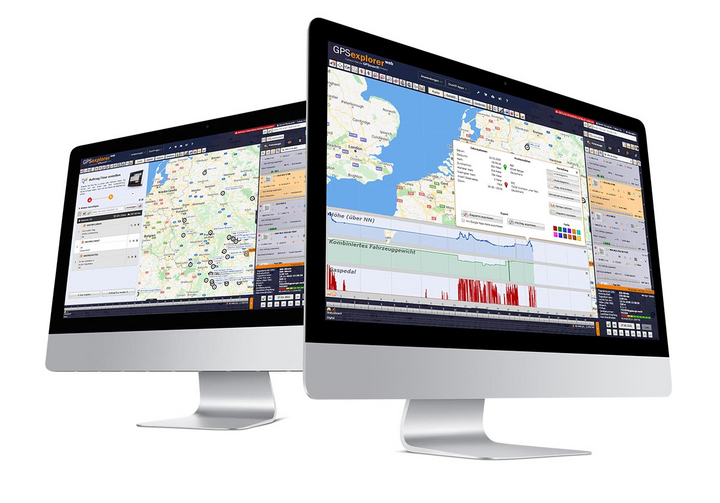

The associated telematics portal
The GPS Explorer (browser-based web portal) is included with every GPSaugen (telematics unit). It is a powerful application for managing fleets of any size.
It doesn’t matter whether you need to manage just one vehicle or thousands.
Try it now with no obligation

Test the most professional telematics solution extensively, with no obligation and at no cost, and see for yourself why it’s the most powerful telematics system.
Simply provide your contact information, and your account manager will assist you from product selection to installation in your vehicle—he’ll take care of everything and be available to answer any questions you may have throughout the entire trial period.
- Free Trial
- based on your requirements
- tailored to your company’s structure
- Your personal account manager will guide you through the process
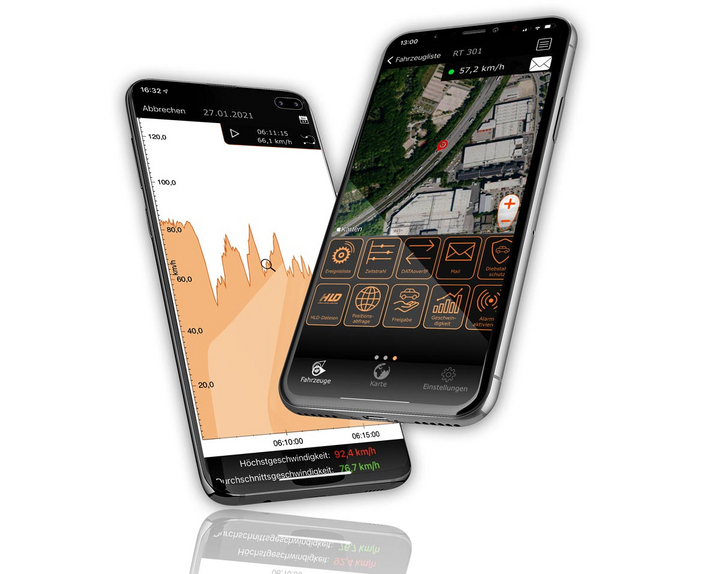

Everything at a glance—even on the go
Manage your fleet with GPS-Explorer Mobile: fleet management even when you're on the go.
Which vehicle in your fleet is closest to a destination address?
Where are my vehicles?
What is the current temperature in the cargo area?