Easily integrate telematics data into your business software with GPSoverIP
Published on: June 26, 2024
What is an interface? Many people ask this question when it comes to the efficient integration of telematics data into IT systems. An interface is a connection point between different components within an IT system that enables data exchange and data processing. This is particularly relevant in telematics when data from telematics devices needs to be integrated into ERP/CRM systems or your own software applications. Our validated GPSoverIP interfaces make this integration of telematics data particularly easy.
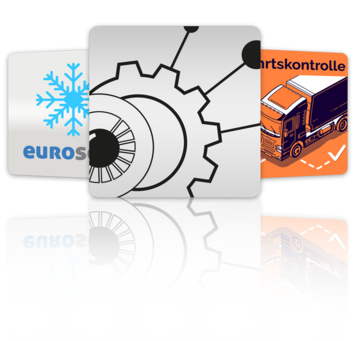
All kinds of connections: The OverIP apps
The GPSauge OBD records all relevant telemetry data, including fuel consumption, operating hours, driving and rest times, and much more. The collected data is available in real time to the GPS-Explorer’s analysis functions ...
The number of software solutions and systems connected to the GPSoverIP services is growing continuously. You can find a detailed overview of all available connections and integrations here ...
Learn more
Telematics in Practice:
GPSoverIP connects your company via interfaces and enables seamless transfer of telematics data from vehicles directly to your business applications. Whether it’s order data, address and delivery information, messages, order status, or vehicle location—all data collected via telematics is available to your company in real time and can be immediately integrated into your telematics systems for further processing. In addition, GPSoverIP’s truck telematics also provides data from remote downloads of the digital tachograph via an interface, which facilitates compliance with legal requirements and the monitoring of driving times in truck tracking.
Key features of GPSoverIP’s telematics interfaces:
GPSoverIP’s telematics interfaces have been thoroughly validated and offer high reliability for the seamless integration of telematics data into your systems. Users benefit from the ability to send telematics data directly to their drivers and receive it from them, which improves telematics processes and increases the efficiency of your workflows.
Contact us now
Would you also like to integrate your software with GPSoverIP telematics? We offer a wide range of options for integrating and expanding your systems. You can submit a new OverIP app directly via the contact form. If you have any questions, please contact us—we’ll find the right solution...
Get in touch
GPSoverIP ensures seamless communication between your telematics systems, even if your company and the telematics device “speak” different “languages.” Our structured interface portal provides the necessary support for companies without large IT departments, making the integration of telematics data as simple as possible.
Conclusion:
Using GPSoverIP telematics interfaces significantly simplifies your work. You save time and effort because telematics data is sent directly to your company and can be processed immediately in order fulfillment. Any company that operates digitally and uses telematics needs reliable interfaces to remain efficient—and GPSoverIP delivers exactly that. With additional features such as truck telematics and truck tracking, GPSoverIP offers advanced capabilities for fleet management and data collection.
Are you ready to simplify the integration of telematics data into your system? Then contact us and learn more about GPSoverIP’s telematics solutions!